Family safety
How an SOS Alert Works, and When to Use It
An SOS alert sends your exact location to your family in one action. What happens when you press it, who gets it, and how it fits with calling 999 or 112.
By NextLocator Team Updated 3 minute read
Quick answer
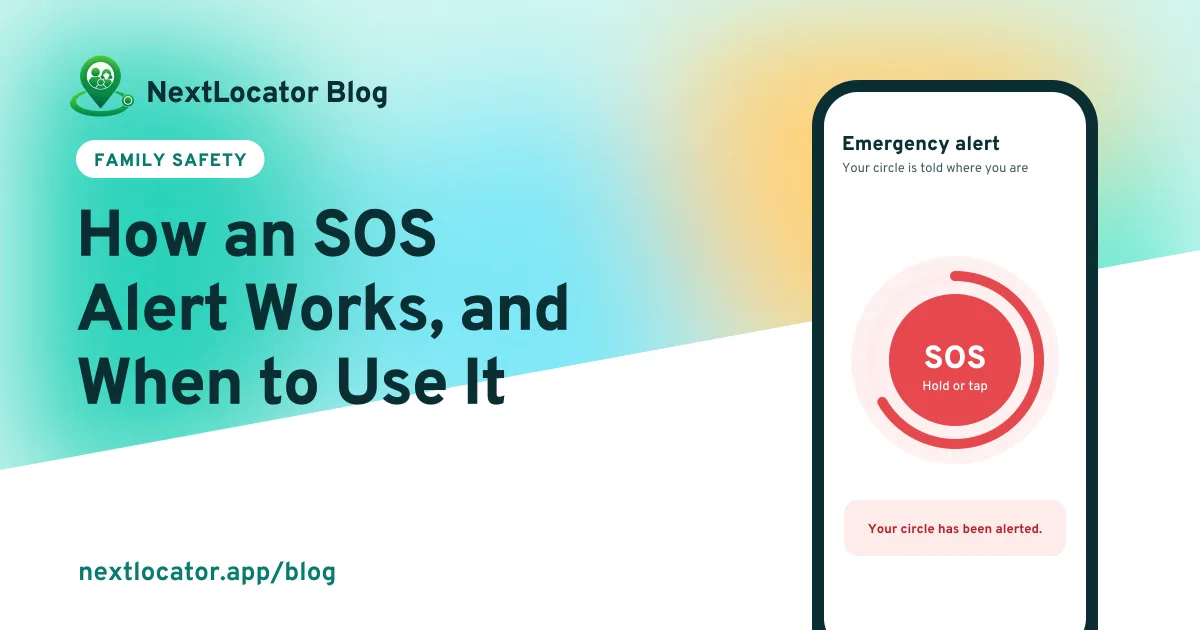
In NextLocator, you hold the SOS button for about 3 seconds, tap it repeatedly, or shake the phone 8 times. The app finds your exact location and sends an emergency alert to everyone in your circle. It doesn't call the police or an ambulance, so in a real emergency, call your local emergency number as well.
Key takeaways
- Three ways to send it: hold, tap repeatedly, or shake the phone 8 times.
- Everyone in your circle gets the alert, with your exact location.
- It needs location and an internet connection to send.
- It tells your family. It doesn't call emergency services.
How do you send an SOS?
Open NextLocator and go to the SOS screen. Then do one of these:
- Hold the button for about 3 seconds, until the ring around it fills.
- Tap it again and again, if holding is hard.
- Shake the phone 8 times.
The hold is there on purpose. A single accidental tap in your pocket won't send anything.
What happens after you press it
- The phone finds your exact location. You'll see Finding your location…
- The alert goes to everyone in your circle, with your location on a map.
- You see Your circle has been alerted.
- The alert is saved in the circle's Emergency alerts list, so anyone can check it later.
If the phone can't find your location, the alert isn't sent and the app tells you. Check that location is on and try again. If there's no time, call.
Who gets the alert?
Every member of your circle, not only the admins. That's different from place alerts, which go to admins only. In an emergency you want as many people as possible to know, as fast as possible.
SOS alert or emergency number?
| Situation | What to do |
|---|---|
| Accident, fire, medical emergency or crime | Call 999 (Bangladesh), 112 (India and Europe) or your local number first. Send SOS too if you can. |
| Feeling unsafe, being followed, lost at night | Send SOS so your family knows where you are, then call them |
| Car broken down on a highway | Send SOS, then call a family member |
| Child lost in a market or at an event | Your child sends SOS and you get the exact spot |
Teach your kids both
Make sure your child knows the emergency number by heart and where the SOS button is. Practise once together, so the first time isn't the scary time. Tell the circle before you practise, because a test sends a real alert.
When not to use it
Don't use SOS to check on someone or to say you're running late. If it gets used for small things, people start ignoring it. To check where someone is, use Ask for a fresh location, or just call.
Frequently asked questions
Does the SOS alert call the police?
No. NextLocator's SOS alerts the people in your circle with your location. It doesn't contact emergency services, so call 999, 112 or your local number in an emergency.
Does SOS work without internet?
No. The phone needs a connection to send the alert. If you have no data, call your emergency number. Calls can work when data doesn't.
What if I start an SOS by mistake?
Stop before the ring fills and nothing is sent. If an alert did go out by mistake, message your circle to say you're safe.
Can children and older people use SOS easily?
Yes. Tapping repeatedly or shaking the phone 8 times are easier than holding a button for someone who is scared or has shaky hands.