Guides
How Accurate Is Phone GPS? Why Your Location Is Sometimes Wrong
Phone GPS is usually accurate to about 5 metres outdoors, but much less indoors or between tall buildings. Why, and how to get a more accurate location.
By NextLocator Team Updated 3 minute read
Quick answer
Outdoors with a clear view of the sky, phone GPS is usually accurate to within about 5 metres. Indoors, between tall buildings or underground it gets worse, sometimes by tens or hundreds of metres, because the phone falls back on Wi-Fi and mobile towers. Turning on precise location and Wi-Fi scanning helps most.
Key takeaways
- Open sky: about 5 metres. Indoors or in crowded streets: much less accurate.
- Phones mix GPS, Wi-Fi and mobile towers, and use whatever is available.
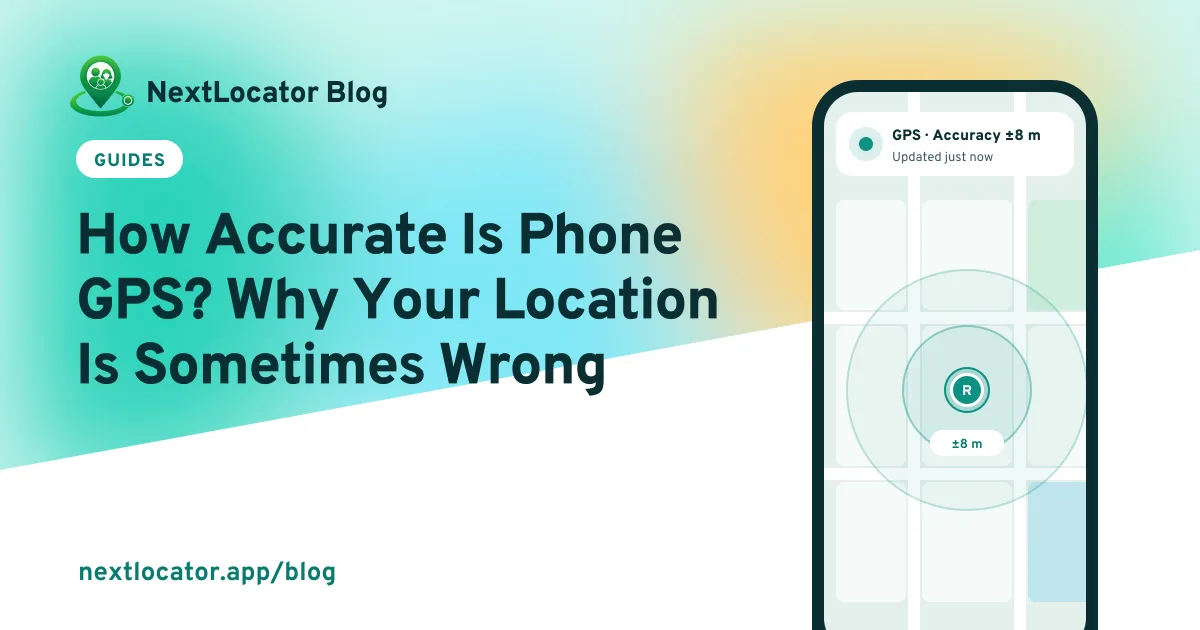
- The circle around your dot shows how sure the phone is.
- Precise location and Wi-Fi scanning make the biggest difference.
How your phone works out where it is
Phones use three sources and blend them together:
| Source | Typical accuracy | Works best |
|---|---|---|
| Satellites (GPS and others) | About 5 m | Outdoors, with open sky |
| Nearby Wi-Fi networks | Roughly 10–50 m | Indoors, in towns and cities |
| Mobile towers | Hundreds of metres or more | Anywhere with signal, as a last resort |
'GPS' is really a family of satellite systems: GPS from the US, plus GLONASS, Galileo and BeiDou. Modern phones listen to several at once, which is why they're more accurate than they used to be.
Why your location is sometimes wrong
- Tall buildings bounce satellite signals around, so the phone thinks you are across the street.
- Indoors, satellite signals are weak, so the phone leans on Wi-Fi or mobile towers.
- Precise location is off, so apps only get an approximate area.
- The phone just woke up and hasn't locked on to the satellites yet.
- Power saving mode may limit how often GPS runs.
What the accuracy number means
Many apps draw a circle around your dot, or show a number like ±16 m. It means the phone is fairly confident you're somewhere inside that circle. NextLocator shows each member's accuracy on their card, so you can tell a sharp location from a rough one.
A good rule: if the accuracy is bigger than the distance you're worried about, wait for a better reading before you panic.
How to get a more accurate location
- Android: in Settings > Location, turn on Google Location Accuracy and Wi-Fi scanning. Names vary slightly by brand.
- iPhone: in Settings > Privacy & Security > Location Services, open the app and turn on Precise Location.
- Keep Wi-Fi switched on even when you're not connected. Phones use nearby networks to place you.
- Step outside or near a window for a minute when you need a sharp fix.
- Keep the phone's software up to date.
What this means for place alerts
Accuracy decides how big a place's radius should be. 100 metres around a small school works well outdoors. For a big building where phones get poor signal, try 200 to 300 metres so arrivals aren't missed. How to set up a school alert.
Frequently asked questions
How accurate is GPS on a phone?
Usually within about 5 metres outdoors with a clear view of the sky. It gets less accurate indoors and between tall buildings.
Why does my location show the wrong place?
The phone couldn't get a good satellite signal and fell back on Wi-Fi or mobile towers, which are less precise. Tall buildings can also bounce the signal.
Does GPS work indoors?
Poorly. Satellite signals are weak inside buildings, so phones mostly rely on Wi-Fi when you are indoors.
Is iPhone GPS more accurate than Android?
Not in a way you'd notice day to day. Both use several satellite systems plus Wi-Fi. Your surroundings make a much bigger difference than the brand.